

Relocating a technology-focused business introduces an entirely different layer of operational risk compared to a standard commercial move. When an enterprise relies on high-density server racks, fragile media production environments, complex network fiber configurations, and continuous software uptime, a physical move cannot be approached as a simple exercise in boxing up office desks. Every hour of unmanaged network downtime or hardware misconfiguration directly threatens client-facing service-level agreements, data integrity, and corporate revenue streams.
Furthermore, this physical transition demands absolute cross-departmental synchronization to ensure that logistical timelines align perfectly with ongoing sprint cycles and software release schedules. Failing to coordinate the physical transport of hardware with the digital handoff of active server workloads can result in unexpected data bottlenecks, orphaned software dependencies, and total internal communication breakdowns. A successful relocation treats administrative scheduling and technical dependency mapping as a single unified workflow, ensuring that your operational momentum remains completely unbroken as assets shift across town.
Successfully transitioning your technology firm requires a fundamental shift from a mindset of administrative coordination to one of rigorous systems engineering. By treating the physical relocation of your workplace as a major infrastructure deployment, you can systematically insulate your digital assets from physical damage and eliminate costly connectivity delays. This comprehensive guide provides an operational, phase-by-step framework designed to help chief technology officers, IT directors, and facilities managers navigate the intricate logistics of a tech-centered commercial relocation, ensuring your business stays fully functional as it transitions to its new home.
Auditing and Packing Specialized Hardware Safely

The first phase of a successful commercial technology relocation begins with a comprehensive, top-to-bottom inventory audit of your physical hardware assets. Long before any power cables are disconnected from their power distribution units, your IT department must create an unshakeable digital ledger of every server blade, patch panel, storage area network, and employee workstation. This process allows your team to map out exact software license dependencies, record precise machine configurations, and identify aging components that should be decommissioned or upgraded rather than packed.
Special attention must be paid to the highly sensitive displays and diagnostic panels used by your software engineering, visual effects, or data analytics teams. Standard consumer packaging will not protect high-end, reference-grade equipment from the low-frequency vibrations and kinetic shocks encountered during commercial transit. When packing professional production monitors and color-critical displays, you must use customized flight cases lined with high-density anti-static foam inserts to prevent structural panel warping or pixel matrix degradation. As your hardware team detaches these internal components, you may discover legacy equipment that requires complex component updates or diagnostic troubleshooting. Instead of packing faulty hardware, use this transition to send damaged workstations to specialized computer repair shops to refresh dried thermal paste, clear out internal dust accumulation, and replace failing cooling fans, guaranteeing that your infrastructure is entirely optimized before it arrives at the new corporate location.
Log every unique hardware address: Document all media access control addresses, static internet protocol configurations, and internal serial numbers in a central database to simplify network verification post-move.
Isolate internal lithium-ion backups: Remove any unintegrated uninterruptible power supply batteries from server frames before transport, packing them in fire-retardant storage containers to comply with commercial freight regulations.
Implement dual-layered anti-static protection: Wrap all internal circuit boards, hard drive arrays, and central processing units in certified electrostatic discharge bags before placing them into heavy-duty corrugated boxes.
Migrating High-Capacity Broadcast and Media Networks
For modern tech enterprises that operate internal digital studio spaces, high-volume data centers, or multi-room presentation environments, moving the physical data network is a monumental task. The optical fibers and routing backbones that facilitate rapid data transfers across your corporate intranet are incredibly delicate. A single structural bend past an optical cable’s minimum radius can introduce permanent micro-fractures in the glass core, causing catastrophic signal attenuation and data dropouts that can take days of troubleshooting to identify.
When dismantling your server topology, your network engineering team must systematically organize, clean, and coil all sensitive optical patches. Protecting your high-speed communication lines means using broad-diameter cable reels and protective dust caps over every loose connector, safely insulating your commercial broadcast fiber optic systems from physical dust contamination and sharp bends during transit. This transition window also offers an ideal opportunity to redesign how your company distributes internal digital media and live streams across your corporate conference rooms and training halls. To ensure seamless, low-latency communication across your new facility, your team should design and integrate secure enterprise IPTV solutions to control internal video feeds, manage real-time executive broadcasts, and distribute high-definition network streams cleanly across your local network nodes.
Execute pre-move topological mapping: Draft a complete, visual schematic of all existing switch configurations, virtual local area networks, and port allocations to serve as a definitive assembly guide for your network technicians.
Utilize professional fiber cleaning kits: Clean every optical connection with specialized isopropyl alcohol wipes before re-inserting them into network switches at the new site to remove microscopic debris.
Establish secondary internet backups: Coordinate with internet service providers to keep a secondary, temporary data line active at your old facility while your main fiber pipe is provisioned at the new office location.
Vetting Commercial Moving Assets and Logistics Partners

The physical transport of an enterprise technology stack requires a logistics partner that understands the fragile nature of micro-electronics. Standard commercial transport companies that primarily move office furniture lack the specialized equipment, climate-controlled vehicles, and technical training required to handle heavy, shock-sensitive computer racks. Entrusting your high-value IT infrastructure to an unverified vendor introduces the catastrophic risk of structural frame warping, circuit board fracturing, and component failure.
To insulate your company from these physical infrastructure hazards, your procurement team must implement a strict vetting protocol for all prospective logistics providers. It is essential to look past basic online advertisements and conduct deep interviews with commercial movers who explicitly feature dedicated electronics transport lines, air-ride suspension vehicle fleets, and comprehensive cargo valuation insurance structures. For complex operations navigating dense urban environments, working with a general freight broker is rarely sufficient. You should partner with a licensed, experienced local business moving company that understands local commercial loading zone ordinances, downtown height restrictions, and building freight elevator weight constraints, ensuring your technical assets transition from the loading dock to the server room smoothly.
Verify active cargo insurance thresholds: Demand certified copies of your logistics provider’s active inland marine insurance policies, ensuring their limits fully cover the replacement value of your technology stack.
Audit vehicle climate tracking capabilities: Confirm that your chosen transport trucks feature active climate control monitoring to protect your hard drive lubrication layers from extreme temperature fluctuations.
Enforce real-time asset tracking: Utilize standalone, cellular global positioning system telemetry trackers inside your high-value server crates to monitor transport routes and vibration levels in real time.
Managing Physical Labor and On-Site Setup Coordination
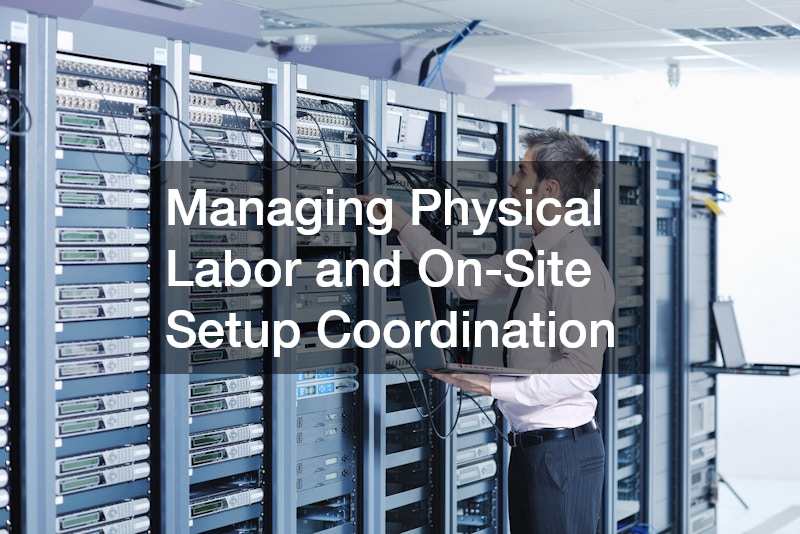
The actual execution of moving day requires balancing physical labor management with technical infrastructure setup. A common error made by expanding tech startups is relying too heavily on internal engineering staff to manage the physical breakdown and lifting of secondary office furniture. Forcing your highly paid software developers or database administrators to pack up office partitions or carry warehouse crates leads to widespread operational exhaustion, leaving them completely drained when the time comes to execute the critical technical reassembly of your network.
Your facilities management team must construct a balanced, multi-phase timeline that completely separates structural manual labor from specialized IT operations. Sourcing professional commercial moving services ensures that all auxiliary office equipment, desks, ergonomic chairs, and structural storage units are handled by an external labor force. This allows your internal systems engineers to focus entirely on their core competencies: stabilizing main server rack frames, systematically verifying power redundancies, and managing precision cable routing. By establishing an organized, clean physical workspace before your engineering team begins unpacking core servers, you accelerate your reassembly timeline and reduce the risk of structural mistakes.
Implement a phased department migration: Stagger your move across multiple days, keeping your core engineering and customer support departments online at the old site while marketing and sales transition first.
Color-code all physical infrastructure boxes: Use a rigorous, color-coded labeling system that maps every box to its exact workstation coordinates in the new office layout, minimizing sorting confusion.
Pre-wire all desktop power tracks: Complete the installation of all under-desk cable management trays, surge protectors, and data lines before employee computer towers arrive at their designated desks.
Building External Visual Presence and Brand Authority

Once your internal server architecture is stabilized, your physical hardware is reassembled, and your employees are online, your operational focus must shift outward. Relocating your technology business is not just a physical transition; it represents a major corporate milestone and an exceptional opportunity to reintroduce your brand to the local market. Establishing a commanding physical presence around your new office building is an essential step in demonstrating corporate growth, building localized trust, and projecting market authority.
The process of claiming your new corporate space requires designing a sophisticated visual navigation framework that guides both visiting clients and daily staff members smoothly through your facility. Your design team should start by auditing your interior corridors to establish clear wayfinding and internal architectural signage that matches your corporate brand fonts and aesthetic color palettes. To project true technical prominence outside your building, explore the integration of high-brightness digital display technologies. Installing scalable, energy-efficient LED signs along your building’s primary exterior facade allows your marketing team to showcase real-time product updates, celebrate corporate achievements, and maintain prominent market visibility. Finally, collaborate with regional fabrication experts to construct durable custom signs from premium materials like laser-cut aluminum or frosted acrylic, framing your main lobby entrance with a clean, polished visual identity that leaves a powerful, lasting impression on everyone who walks through your doors.
Audit local municipal zoning laws: Review all regional commercial sign ordinances and property setback rules before manufacturing your exterior corporate displays to ensure full regulatory compliance.
Integrate automated twilight dimming: Equip all external digital branding displays with integrated light sensors to automatically scale back brightness levels during late-night hours, preserving energy and respecting community standards.
Maintain cohesive brand guidelines: Ensure that all physical environmental graphics perfectly match your digital assets, maintaining absolute consistency across color codes, typography scales, and logo placement rules.
Relocating a technology business is a high-stakes operational challenge that requires an absolute commitment to structural pre-planning, detailed data mapping, and specialized logistics. As this comprehensive guide illustrates, success is achieved when you step away from traditional administrative methods and approach the physical move as a technical systems deployment. By taking a proactive, calculated approach to auditing your hardware, mapping delicate fiber optics, vetting technical transit partners, and claiming your new physical space with strong visual branding, you eliminate the catastrophic risks of unmanaged network downtime and physical equipment failure.
Ultimately, remember that the momentum generated during a seamless relocation provides an unparalleled cultural boost to your entire organization. A relocation executed with precision signals to your team, your clients, and your competitors that your operations are resilient and built for scale. By building out a robust physical footprint that mirrors your advanced digital workflow, you establish an environment where technical innovation can thrive unhindered by legacy constraints.
Furthermore, view this transition as a rare opportunity to audit, refine, and optimize your entire operating model from the ground up. The processes you put in place today, from stricter asset logging protocols to more robust disaster recovery plans, will pay major operational dividends long after the final server is bolted into the new facility. Embracing a culture of continuous optimization during periods of great structural change ensures that your enterprise remains lean, agile, and prepared to capitalize on upcoming market trends.
As you stand on the verge of your upcoming corporate move, view this transition not as an operational headache, but as a significant milestone in your company’s growth. Take the initiative this week to construct your master equipment log, interview specialized technical movers, map your network topologies, and design your environmental branding strategies. By establishing an ironclad administrative framework and protecting your physical infrastructure assets every step of the way, you eliminate the anxieties of commercial relocation, protect your client-facing deliverables, and establish a firm, unshakeable foundation for your technology business to scale into the future.